
Download Letterpal – AI‑Powered Newsletter Automation Tool
Overview
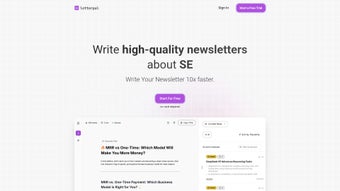
Letterpal is an AI‑driven web application that turns the tedious task of newsletter creation into a streamlined, almost effortless workflow. Designed for content creators, marketers, and industry specialists, Letterpal conducts deep web research across multiple categories—such as artificial intelligence, finance, gaming, and more—to pull the most relevant news stories and insights. Once the raw material is collected, the platform presents it in a clean, editor‑like interface where users can tweak headlines, reorder sections, or add personal commentary.
The hallmark of Letterpal is its “one‑click generation” button, which instantly compiles the edited pieces into a polished, ready‑to‑edit newsletter draft. Although the tool does not yet push content directly to email service providers, the output can be copied into popular publishing platforms like Beehiiv, Substack, or Mailchimp with minimal effort. Subscription plans are tiered to accommodate casual hobbyists, growing professionals, and high‑volume power users, ensuring that each segment pays only for the features they need.
Upcoming updates promise richer template customization, making it possible to match brand guidelines without leaving the app. In short, Letterpal offers a secure, cloud‑based solution that automates research, curates content, and accelerates the publishing pipeline, helping you stay ahead of the content curve without sacrificing quality.
Key Features & Installation Guide
Feature List
- AI‑powered web crawling that scans thousands of sources in real time.
- Industry‑specific filters for AI, finance, gaming, health, and more.
- Drag‑and‑drop editor that mimics familiar tools like Google Docs.
- One‑click newsletter generation that outputs a fully formatted draft.
- Export options for HTML, PDF, or plain text to fit any email platform.
- Multi‑tier subscription model (Casual, Professional, Power) with scalable limits.
- Secure cloud storage with GDPR‑compliant data handling.
- Future‑ready roadmap featuring custom template libraries and brand kits.
Installation & First‑Time Use
Letterpal is a web‑based SaaS product, which means there is no traditional “installation” required on your desktop. To get started, follow these steps:
- Visit letterpal.com and click the “Sign Up” button located at the top‑right corner.
- Choose a subscription tier that matches your newsletter volume. You can begin with a 14‑day free trial for the Professional plan.
- Complete the registration form using a valid email address. A verification link will be sent—click it to activate your account.
- Once logged in, you’ll be greeted by the Dashboard where you can create a new project by selecting “New Newsletter.”
- Pick a category (e.g., AI) and set the date range for the research engine to scan. Letterpal will automatically pull the latest articles, whitepapers, and blog posts.
- Review the auto‑generated list, drag items into your preferred order, edit headlines, and add personal notes.
- When you’re satisfied, hit the “Generate Newsletter” button. In seconds, a fully formatted draft appears, ready for copy‑paste into your email service.
The entire process is designed to be intuitive, allowing users with minimal technical background to produce professional‑grade newsletters in under ten minutes. Because Letterpal runs entirely in the browser, updates are applied automatically—no patches or manual downloads are needed, ensuring you always have the latest AI models and security fixes.
Compatibility, Pros & Cons
Operating System Support
Since Letterpal is a cloud‑based application, it works on any modern operating system that can run a web browser. This includes Windows 10/11, macOS Monterey and later, Linux distributions, as well as mobile platforms like Android 9+ and iOS 13+. The responsive design adapts to tablet screens, making it possible to edit newsletters on the go. All data is stored securely on Letterpal’s servers, so there is no need for local installations or device‑specific dependencies.
Pros
- Time Savings: AI research and one‑click generation cut content creation time by up to 80%.
- Industry Focus: Category filters ensure you only see the most relevant news for your niche.
- User‑Friendly Interface: The drag‑and‑drop editor feels familiar and requires no training.
- Scalable Pricing: Tiered plans let you pay for exactly what you need.
- Secure Cloud Architecture: GDPR‑compliant storage protects subscriber data.
- Cross‑Platform Access: Works on Windows, macOS, Linux, Android, and iOS.
Cons
- No Direct Email Integration: Content must be manually copied into services like Beehiiv or Substack.
- Reliance on Internet Connection: As a SaaS product, offline work is not possible.
- Learning Curve for Advanced Customization: While basic editing is simple, mastering the upcoming template builder may require extra time.
- Limited Free Tier: The free trial is time‑bound and limited to the Professional plan features.
Frequently Asked Questions
Is Letterpal a free tool?
Letterpal offers a 14‑day free trial for its Professional tier. After the trial, you must choose a paid subscription—Casual, Professional, or Power—depending on your newsletter volume and feature needs.
Can I export newsletters directly to Mailchimp or Substack?
Currently, Letterpal does not have native integrations with email platforms. However, you can export the generated newsletter as HTML, plain text, or PDF and paste it into Mailchimp, Substack, Beehiiv, or any other service you prefer.
How does Letterpal ensure the content is up‑to‑date?
The AI engine crawls reputable sources in real time and refreshes its database hourly. When you start a new project, Letterpal pulls the latest articles published within your selected date range, guaranteeing fresh content for every newsletter.
Is my data safe on Letterpal’s servers?
Yes. Letterpal adheres to GDPR standards, encrypts data at rest and in transit, and performs regular security audits. Your subscriber lists and draft content remain private unless you choose to share them.
What browsers are supported?
Letterpal works on the latest versions of Chrome, Edge, Firefox, Safari, and Opera. Mobile browsers on Android and iOS are also fully supported, allowing you to edit newsletters from virtually any device.
Conclusion & Call to Action
Letterpal stands out as a robust, AI‑enhanced solution that eliminates the grunt work of newsletter research and assembly. By delivering industry‑specific content in a few clicks, it frees up creators to focus on strategy, storytelling, and audience engagement. While the lack of direct email platform integration is a minor inconvenience, the seamless export options and upcoming template enhancements promise to close that gap soon. If you’re a marketer, blogger, or niche‑focused publisher looking to accelerate your newsletter workflow without compromising quality, Letterpal is worth a test drive. Start your free trial today, explore the Professional tier, and experience how AI can turn weeks of research into minutes of polished content.
Download Letterpal now and join the growing community of creators who are reshaping how newsletters are built.






